

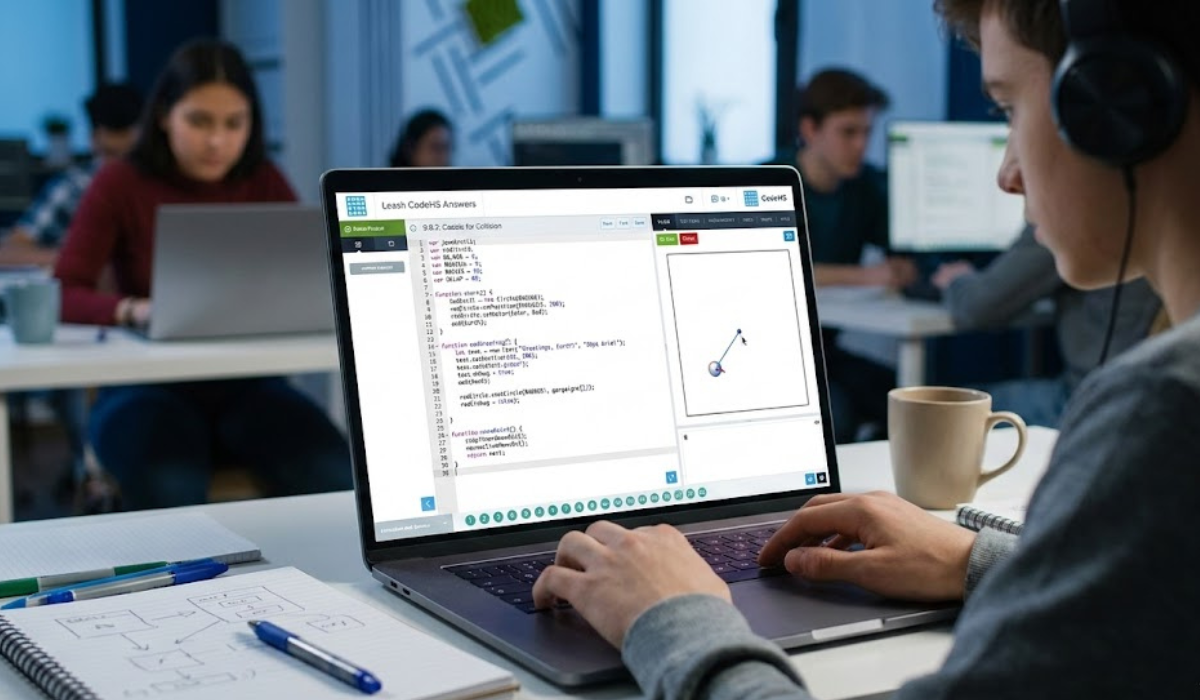
Programming education platforms have become an essential part of modern computer science learning. One such platform is CodeHS, widely used in schools to teach coding fundamentals through interactive exercises. Among the many graphics activities offered in its curriculum, the Leash exercise is one that often sparks curiosity and confusion among beginners.
When students search for “leash CodeHS answers,” they are typically looking for guidance on how the program works, what logic is required, and how to structure the code properly. Rather than simply copying a finished solution, understanding the reasoning behind the program helps learners develop real programming skills.
This article explains the concept, logic, and step-by-step approach behind the Leash exercise so you can understand how it works and confidently implement your own solution.
What Is the Leash Exercise in CodeHS?
The Leash exercise in CodeHS is a graphics-based programming task. In this activity, students create a program where:
- A ball follows the mouse cursor on the screen.
- A line connects the ball to a fixed point, usually the starting position.
- The visual effect makes the ball look like it is attached to a leash.
This simple idea introduces several important programming concepts:
- Event handling (mouse movement)
- Object positioning
- Graphics drawing
- Logical program structure
The goal is not only to make the animation work but also to understand how different elements interact within a program.
Why Students Search for “Leash CodeHS Answers”
Many beginners struggle with this activity for several reasons:
- Understanding event listeners
- Updating object positions dynamically
- Drawing lines between coordinates
- Combining multiple graphics objects
When learners search for leash CodeHS answers, they are often trying to understand how these parts connect rather than just copying code. The challenge requires both logic and careful reading of instructions.
Programming exercises like this are designed to help students think algorithmically—breaking a problem into smaller, manageable steps.
Core Concepts Behind the Leash Exercise
Before writing any code, it helps to understand the programming concepts involved.
1. Graphics Objects
In CodeHS graphics exercises, programs often use objects like:
- Circles
- Lines
- Rectangles
- Text
In the leash activity, the two primary objects are:
- A circle representing the ball
- A line representing the leash
The ball moves while the line updates to connect the ball and the fixed point.
2. Mouse Events
The program needs to detect when the user moves the mouse.
This is usually handled using a mouse move event. When the mouse moves, the program updates the ball’s position to match the cursor coordinates.
Conceptually:
When mouse moves:
    move ball to mouse position
This simple idea is the foundation of the interactive behavior.
3. Fixed Anchor Point
A leash always has a starting point where it is attached.
In the CodeHS activity:
- One end of the line stays fixed.
- The other end follows the ball.
This creates the visual illusion of the ball being attached by a leash.
4. Updating the Line
Every time the ball moves, the line must update so that:
- One endpoint stays fixed.
- The other endpoint matches the ball’s new position.
Conceptually:
line start = anchor point
line end = ball position
Updating graphics objects dynamically is a fundamental concept in interactive programming.
Step-by-Step Logical Approach
Instead of jumping straight to code, it helps to outline the solution logically.
Step 1: Define the Anchor Point
Choose a fixed location where the leash begins.
Example concept:
- Center of the screen
- Corner of the canvas
- Starting position of the ball
Step 2: Create the Ball
Add a circle object that will represent the moving ball.
Important properties:
- Radius
- Color
- Initial position
This ball will later move with the mouse cursor.
Step 3: Draw the Leash Line
Create a line that connects two points:
- Anchor point
- Ball position
Initially, both may start in the same place.
Step 4: Track Mouse Movement
Add a mouse movement event handler that detects cursor movement.
Each time the cursor moves:
- Update the ball’s position
- Update the leash line endpoint
Step 5: Update the Graphics
The key logic is updating both elements together:
- Move the ball
- Adjust the leash line
This keeps the animation smooth and responsive.
Simplified Example Logic
Here is a simplified conceptual structure of the program:
Create ball
Create lineSet anchor pointWhen mouse moves:
    move ball to mouse position
    update line end point to ball position
This logical structure is the core idea behind most leash CodeHS answers.
Common Mistakes Students Make
Even though the task is conceptually simple, beginners often encounter issues.
1. Forgetting to Update the Line
Some students move the ball but forget to update the leash line.
This causes the line to remain in its original position.
2. Mixing Up Coordinates
Mouse events usually provide:
- X coordinate
- Y coordinate
Using them incorrectly can cause unexpected movement.
3. Creating Multiple Lines
Sometimes students accidentally create a new line every time the mouse moves, which can clutter the screen.
Instead, the correct approach is to update the existing line.
4. Not Reading Instructions Carefully
Many programming issues occur simply because instructions were skimmed instead of carefully understood.
Taking time to read the problem statement saves significant debugging time.
Why Understanding the Logic Matters
Looking up leash CodeHS answers might help you finish an assignment quickly, but true learning happens when you understand why the code works.
By understanding the logic behind the exercise, you gain skills such as:
- Event-driven programming
- Interactive graphics design
- Debugging techniques
- Problem-solving strategies
These concepts are fundamental in many real-world programming fields, including:
- Game development
- UI design
- Interactive simulations
- Educational software
Tips for Solving CodeHS Exercises Successfully
Here are some strategies that can help when tackling similar programming challenges.
1. Break Problems Into Smaller Steps
Large problems become manageable when divided into smaller tasks.
2. Use Pseudocode
Before coding, write simple instructions describing what the program should do.
This helps clarify your logic.
3. Test Frequently
Run your program often to check if each step works correctly.
Small fixes are easier than large debugging sessions.
4. Learn From Errors
Every programming error is a learning opportunity. Understanding why something failed helps you improve faster.
The Educational Value of the Leash Exercise
Although the leash task may seem simple, it introduces essential programming concepts used in more advanced applications.
Students practicing this activity are essentially learning:
- Real-time interaction
- Object relationships
- Event-driven programming
- Visual programming logic
These foundations are used in advanced frameworks, game engines, and graphical software systems.
FAQs About Leash CodeHS Answers
What are leash CodeHS answers?
Leash CodeHS answers refer to the logic and code used to solve the Leash graphics exercise in CodeHS where a ball follows the mouse and a line connects it to a fixed point.
What programming concepts does the leash exercise teach?
The activity teaches several important concepts including:
- Mouse event handling
- Graphics objects
- Coordinate systems
- Dynamic updates in programs
Why is the leash line connected to a fixed point?
The fixed point acts as an anchor, creating the visual effect that the ball is attached to a leash as it follows the cursor.
Is it okay to look up CodeHS answers?
Looking up guidance can help you understand the problem, but the best approach is to learn the logic and write your own code so you truly understand the concepts.
What should I do if my leash line does not move?
Check whether your program updates the line’s endpoint coordinates every time the mouse moves. The line must be updated whenever the ball moves.